Build and run your first skill
Create a bounded support-ticket skill and verify its first completed execution.
Create a reusable support-ticket triage skill, constrain its tool access and execution length, and run it with synthetic input. You will finish with a saved draft and a completed execution trace that you can inspect.
This tutorial uses an atomic, prompt-only skill. It introduces schemas, permitted tools, and execution limits at the point where you need them; it does not require an agent graph or published version.
Before you begin
You need:
- a running Agent Studio installation;
- an authenticated user who can create and execute a personal skill, or the corresponding permissions in the active organization;
- a configured model provider for execution;
- no sensitive or production ticket data.
The example permits document_search. A knowledge search can return no matches and the workflow can still demonstrate the full execution path.
Create the skill
From Studio, select CREATE WORKFLOW / SKILL. If you navigate directly, use /dashboard/skills/new on your Agent Studio origin.
Confirm that MODE: ATOMIC SKILL (PROMPT-ONLY) is selected and that the form shows WORKFLOW / SKILL NAME, PURPOSE & OUTCOME, INSTRUCTIONS, and the two JSON schema fields.
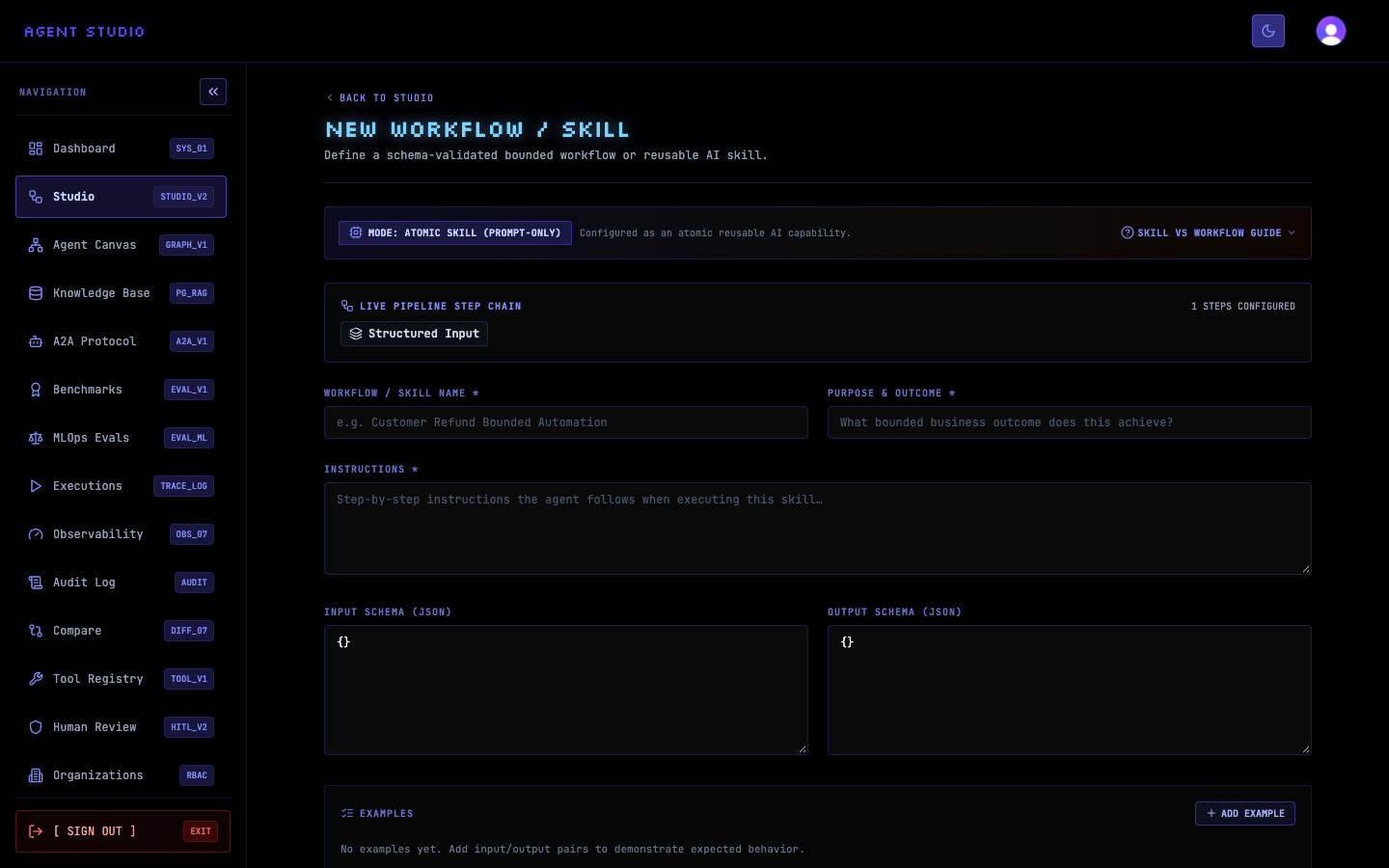
Enter these values:
- WORKFLOW / SKILL NAME:
Support Ticket Triage - PURPOSE & OUTCOME:
Classify a synthetic support ticket and suggest a safe response using approved documents. - INSTRUCTIONS:
Review the synthetic support ticket. Use document_search to find relevant approved guidance. Return the category, priority, recommended response, and sources. Do not contact customers or change external systems.
The instructions define the bounded task and prohibit external side effects.
Paste this object into INPUT SCHEMA (JSON):
{
  "type": "object",
  "required": ["ticket_id", "subject", "message"],
  "properties": {
    "ticket_id": { "type": "string" },
    "subject": { "type": "string" },
    "message": { "type": "string" }
  }
}
Paste this object into OUTPUT SCHEMA (JSON):
{
  "type": "object",
  "required": ["category", "priority", "recommended_response", "sources"],
  "properties": {
    "category": { "type": "string" },
    "priority": { "type": "string" },
    "recommended_response": { "type": "string" },
    "sources": { "type": "array", "items": { "type": "string" } }
  }
}
These schemas make the required input and expected output explicit before execution.
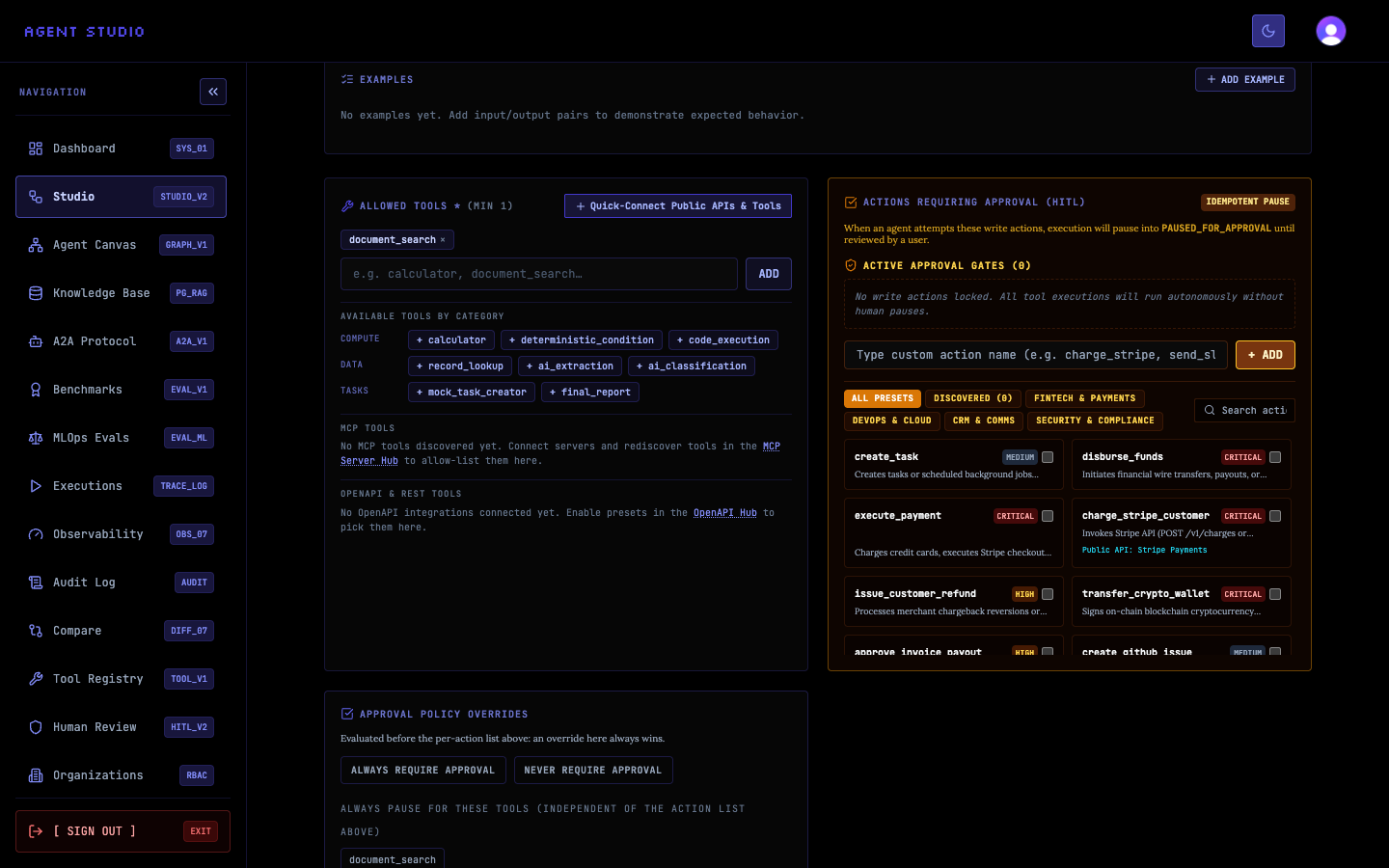
Under ALLOWED TOOLS (MIN 1), add document_search. Leave ACTIVE APPROVAL GATES at 0, do not select a write action, and set the execution limit to 6 steps. Add the note Quickstart example using synthetic ticket data only.
The completed form permits one read-oriented tool and prevents an unexpectedly long run. Review every field before saving.
Submit the form. Agent Studio creates the skill and opens its detail page as DRAFT v1.
Confirm that the page shows RUN DRAFT v1, document_search, max 6 steps, and the input and output schemas. A draft is sufficient for this personal first run; publishing is a separate lifecycle action.
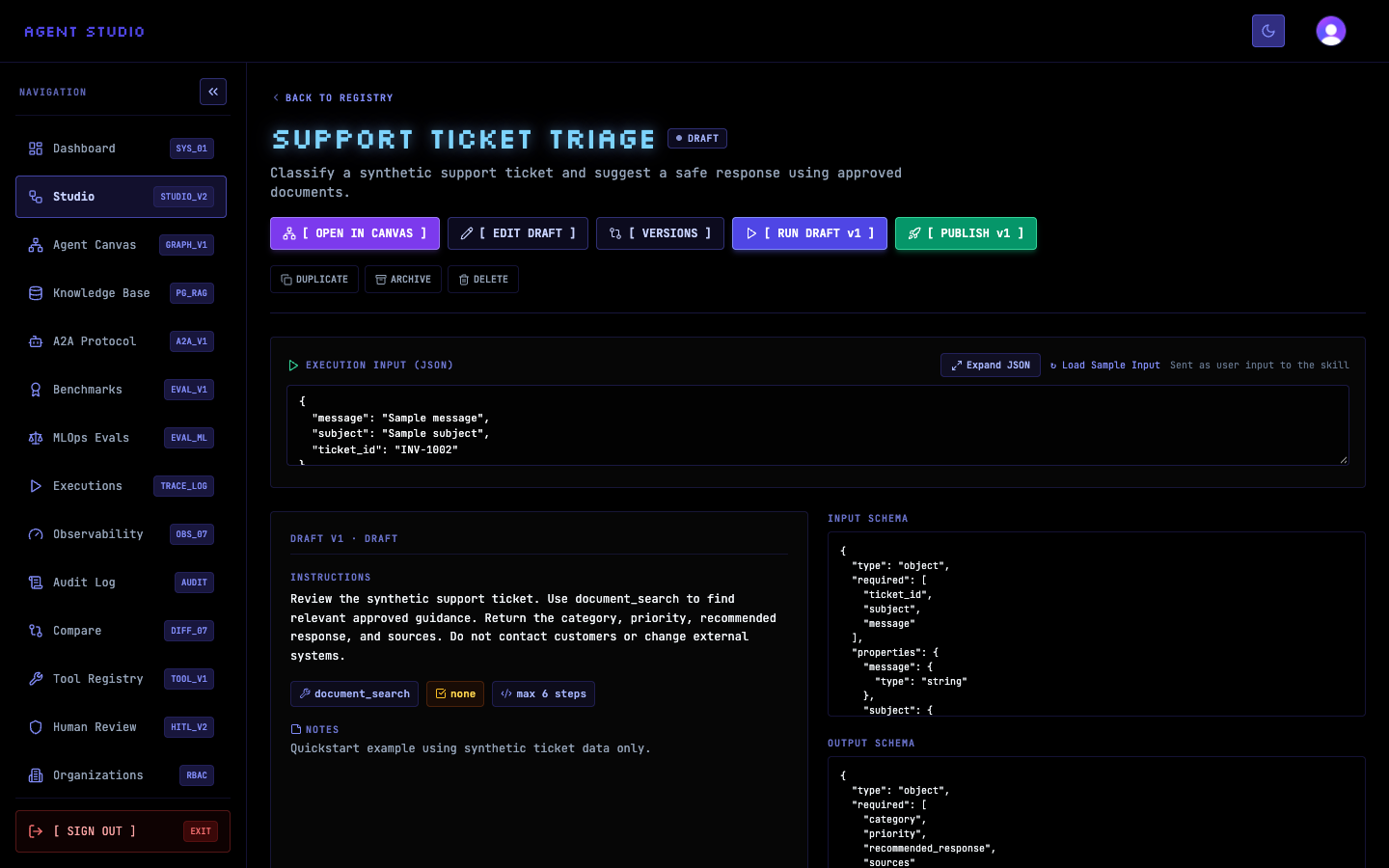
In EXECUTION INPUT (JSON), replace the sample with:
{
  "ticket_id": "TICKET-1001",
  "subject": "Cannot access billing history",
  "message": "I cannot view last month's invoice in the portal. Please tell me where to find it."
}
Select RUN DRAFT v1. The application starts an execution for the draft skill version and opens its execution details.
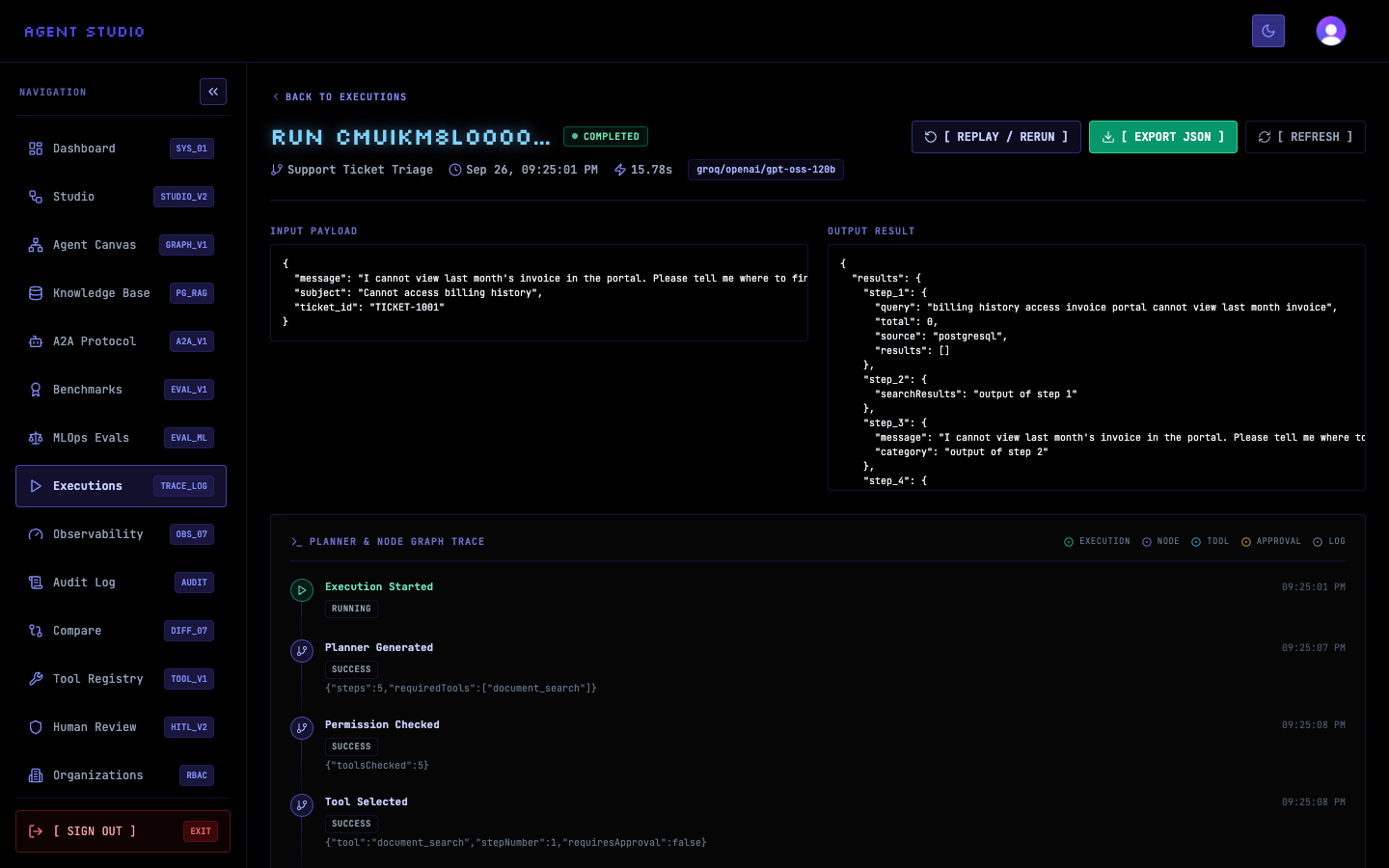
Verify the result
Confirm that the execution status is COMPLETED and that the page contains all of these areas:
- INPUT PAYLOAD with
TICKET-1001; - OUTPUT RESULT with the workflow result;
- PLANNER & NODE GRAPH TRACE with events such as Execution Started, Planner Generated, Permission Checked, and Tool Selected.
document_search as the selected tool.Troubleshooting
What you learned
You created a skill with a defined purpose, schema-validated input and output, a constrained tool list, and a bounded execution. You then supplied synthetic data and used the execution trace to confirm what Agent Studio planned and ran.
Next, learn how Agent Studio resources relate, then create a skill for your own workflow. To add explicit multi-node control flow, create an agent graph.