Manage encrypted secrets
Create, find, reveal, rotate, and delete personal or organization vault entries without exposing secret values.
Store personal or organization credentials as encrypted Vault entries, then manage their lifecycle without placing plaintext values in workflows. Agent Studio lists Vault entry metadata with masked values and reveals plaintext only through an authenticated, entry-specific request.
Before you begin
Sign in and open /dashboard/settings. For an organization Vault entry, you must be a member with vault:create; owners and administrators can view all organization entries, members can see permitted entries they own, and viewers see none.
In production, the server must have VAULT_MASTER_KEY configured as a 64-character hexadecimal value. Agent Studio encrypts values with AES-256-GCM and derives versioned keys with PBKDF2-SHA-512. See the environment variable reference before changing encryption configuration.
Create a Vault entry
In the Secret Vault section, select ADD SECRET. The dialog provides NAME, CATEGORY, KEY (ENV VAR NAME), VALUE, DESCRIPTION, and TAGS (COMMA-SEPARATED).
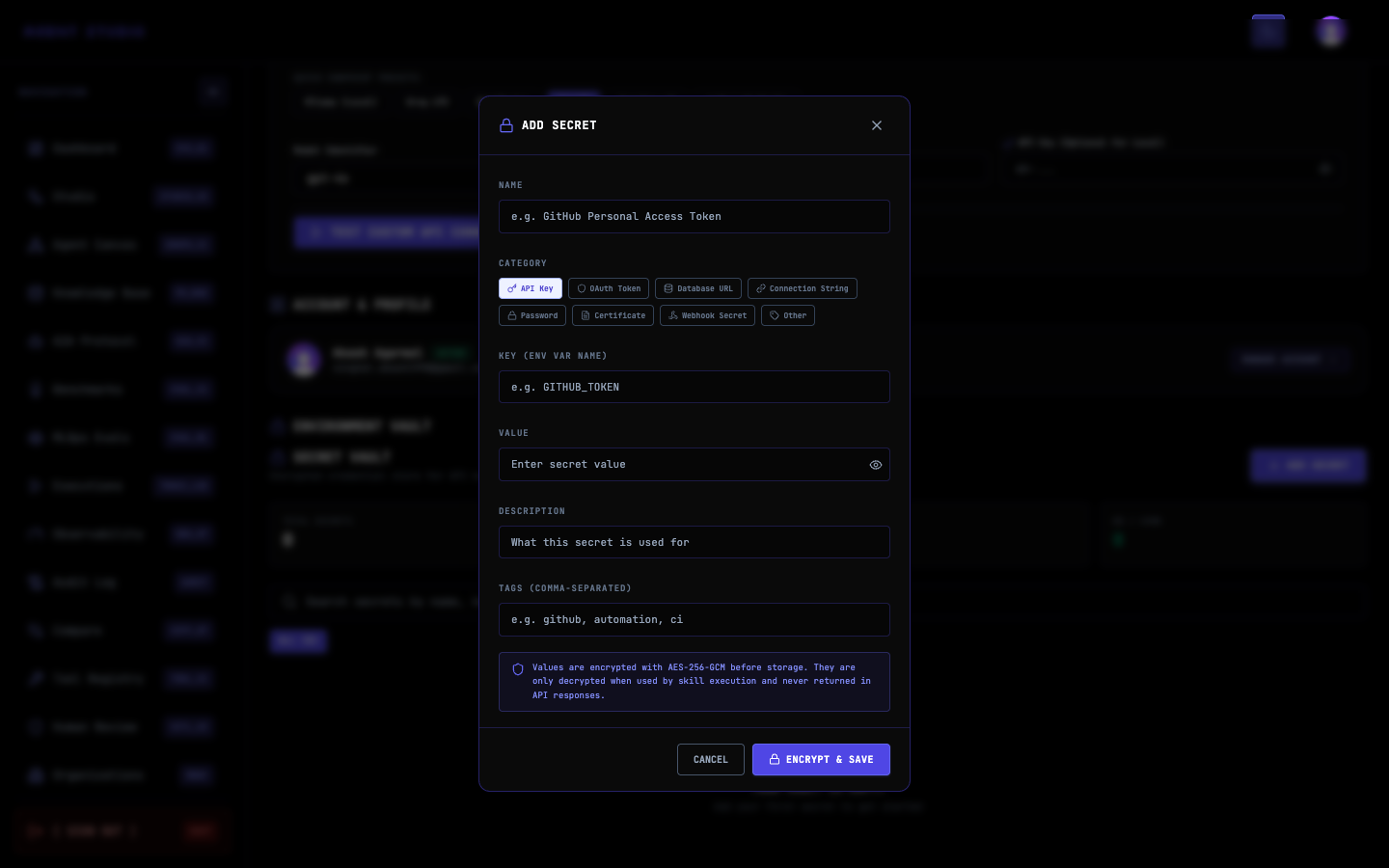
Give the entry a recognizable name and select its category. The key must use uppercase environment-variable syntax: it must start with an uppercase letter or underscore and contain only uppercase letters, digits, and underscores.
For a documentation-only example, enter:
- NAME:
Documentation Demo Token - CATEGORY:
API Key - KEY (ENV VAR NAME):
DOCUMENTATION_DEMO_TOKEN - DESCRIPTION:
Documentation example only - TAGS (COMMA-SEPARATED):
documentation, demo
Enter the value in VALUE. The field masks the content. In the safe example capture, the value is a placeholder and must not be reused as a credential.
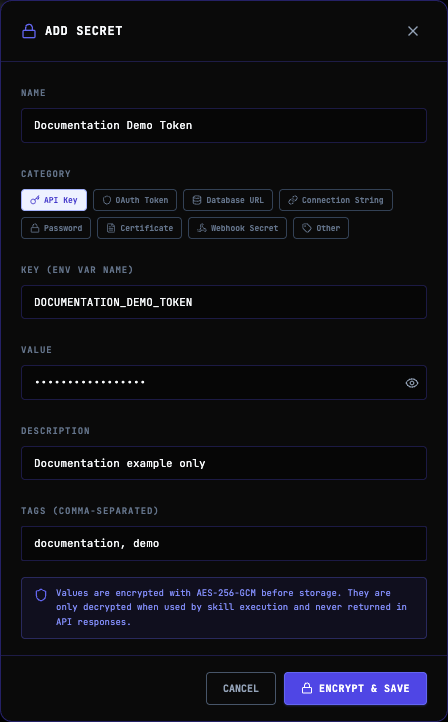
For a real authorized credential, select ENCRYPT & SAVE. Agent Studio requires name, key, and value, encrypts the value, and returns the new entry as data with HTTP 201.
To create an organization entry through POST /api/vault, include organizationId in the JSON body or send it as X-Organization-Id. Without organization context, the entry is personal.
Return to the Vault list and find the entry by its name or key. Confirm that its metadata is present and the value remains masked. Do not reveal it merely to verify that creation succeeded.
Find and reveal a secret
Use GET /api/vault to list personal entries. Add ?q=demo to search personal Vault metadata. To list organization entries, send X-Organization-Id: org_example or add ?organizationId=org_example; visibility follows the current member's organization permissions.
Reveal plaintext only when you need to transfer a value to an approved destination:
curl --fail-with-body \
  --cookie "$SESSION_COOKIE" \
  "$AGENT_STUDIO_URL/api/vault/$VAULT_ENTRY_ID/reveal"
A successful response returns the value in rawValue. Avoid printing this response in a shared terminal or CI log. If you only need to identify an entry, use the masked list instead.
Update or rotate a value
Rotate a credential at its upstream provider first, then update the existing Vault entry by sending its ID and the new value to PUT /api/vault:
curl --fail-with-body \
  --request PUT \
  --cookie "$SESSION_COOKIE" \
  --header "Content-Type: application/json" \
  --data '{"id":"vault_entry_id","value":"replacement-secret-value"}' \
  "$AGENT_STUDIO_URL/api/vault"
Replace the example value without putting the real credential in a committed script. The owner can update an entry; an organization owner or administrator can manage organization entries permitted by the route. Verify rotation by testing the consuming workflow, not by leaving the plaintext visible.
Vault encryption also tracks a key version. Operational rotation of VAULT_MASTER_KEY and VAULT_KEY_VERSIONS is a server-administration task, separate from replacing one stored credential.
Delete an entry
After confirming that no workflow needs the entry, delete it by ID:
curl --fail-with-body \
  --request DELETE \
  --cookie "$SESSION_COOKIE" \
  "$AGENT_STUDIO_URL/api/vault?id=$VAULT_ENTRY_ID"
The route returns success: true. A later reveal request fails because the entry no longer exists.
Troubleshooting
Next steps
Use organization roles and permissions to control Vault access, or run and find executions to verify a workflow that consumes the rotated secret.