Run A2A auctions and debates
Configure a sealed-bid agent auction or an owned, multi-turn A2A debate.
Coordinate several A2A agents by broadcasting a sealed-bid task auction or by running a multi-turn debate with human review. Use an auction to choose an agent for a defined job; use a debate to develop and challenge a position across turns.
Before you begin
Sign in to Agent Studio and open Agent-to-Agent Protocol Suite at /dashboard/a2a. Configure an LLM provider before starting either workflow. Auctions and debate messages require a signed-in Clerk session and consume model capacity; they do not accept the public MCP bearer-token path.
executeWinner: false. Use synthetic input, review the scope before launch, and disable winner execution when you need bid comparison only.Choose a coordination mode
An auction sends one request for proposal to candidate manifests and returns the auction result. A debate binds messages to a session owned by the user who starts it; the accumulated transcript provides context for later turns.
Run a task auction
Open Task Auction & Bidding. Confirm that the form shows Task Title, Target Capability Domain, Task Specification & Requirements, and the launch control.
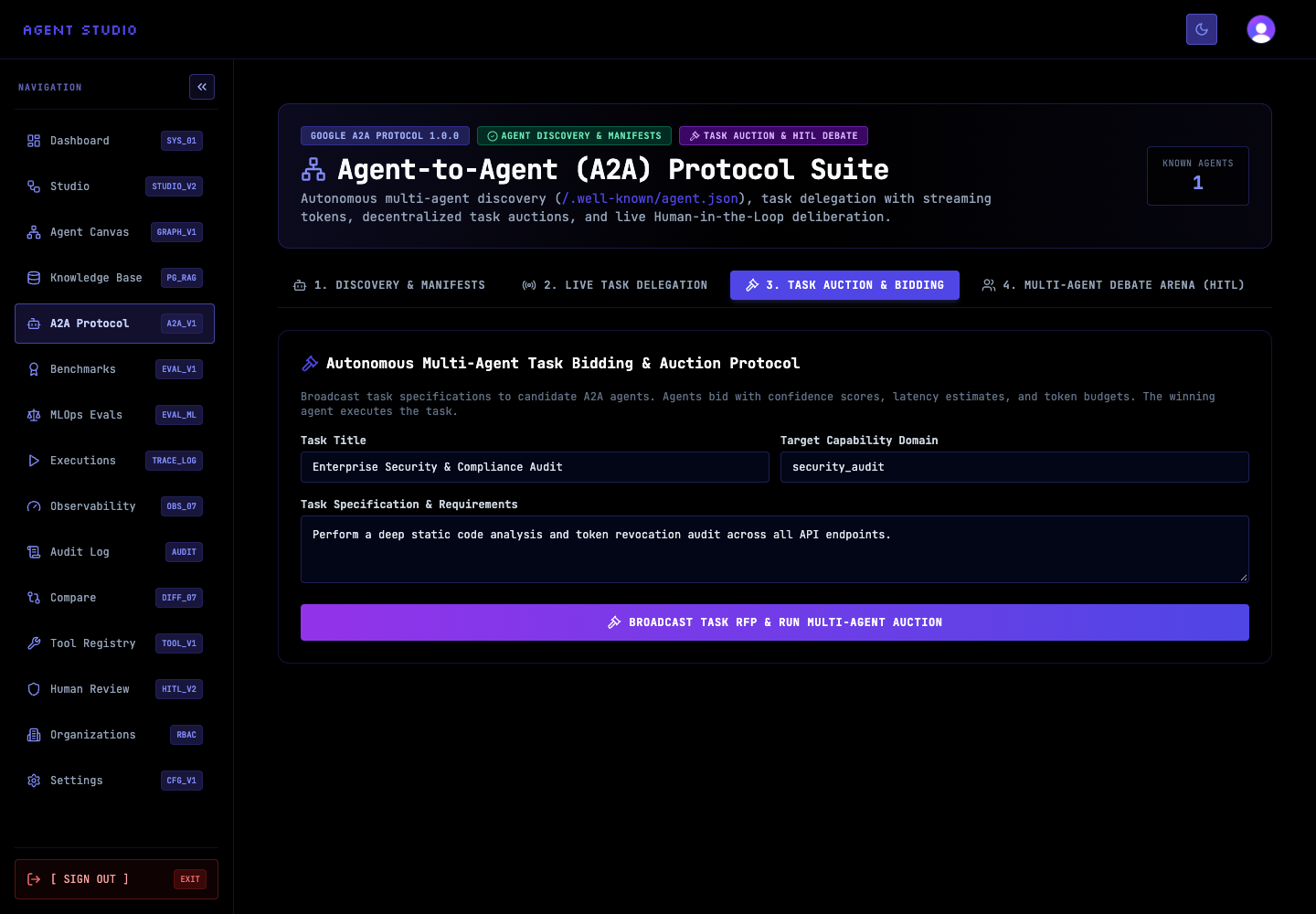
Enter a short title, the required capability domain, and enough requirements for agents to estimate the work. Both the title and description are required by the auction endpoint.
For example, use Documentation access review as the title, security_audit as the capability, and ask agents to identify access-control gaps in a synthetic policy. Keep credentials, production records, and personal data out of the specification.
If the client exposes priority, choose low, normal, high, or urgent; any other API value becomes normal. A positive bidding window can be at most 60000 milliseconds. Decide whether the winner should execute before you launch—the API executes the winner by default unless executeWinner is false.
Select Broadcast Task RFP & Run Multi-Agent Auction. Agent Studio loads candidate manifests, runs the sealed-bid auction, and returns an auction result when the request succeeds.
Do not resubmit immediately if the result is delayed. The route limits each signed-in user to 10 auction calls per minute.
Confirm that the returned result corresponds to the title and required capability you entered. If winner execution was disabled, treat the result as a selection decision only; execute the chosen work through an approved task path after review.
success: true and an auction result. Verify any executed output independently before using it.Run a multi-turn debate
Open Multi-Agent Debate Arena. The form presents Debate Topic or Architectural Question, a round selector, and Launch Multi-Agent Debate.
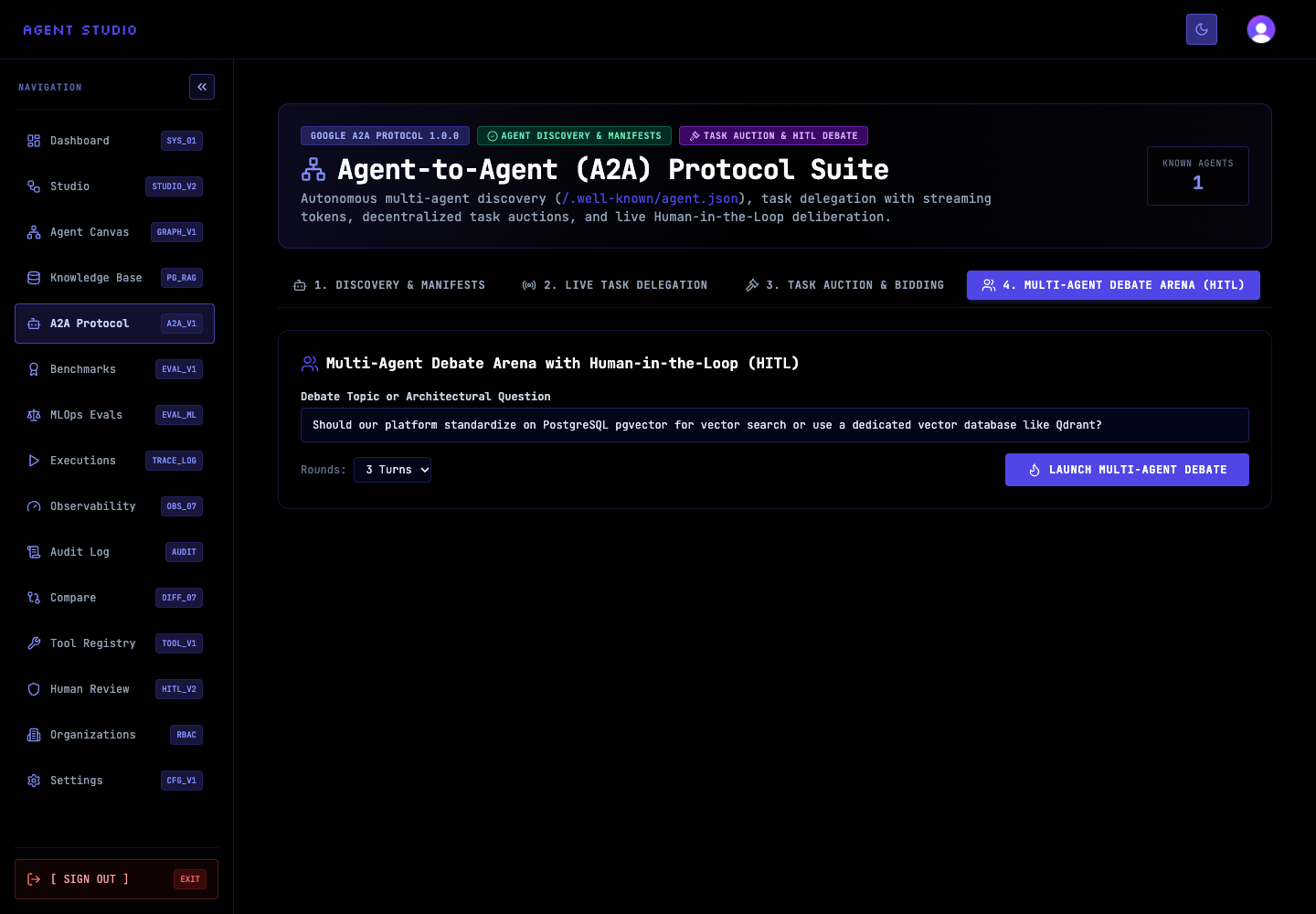
Enter a question that names the decision, constraints, and comparison criteria. For example: Should this synthetic support system use PostgreSQL pgvector or Qdrant when operational simplicity matters more than peak scale?
Select a bounded number of turns. The visible 3 Turns option is suitable for an initial comparison because it leaves a human checkpoint after each response.
Select Launch Multi-Agent Debate. Review the generated reply before continuing. The message route includes the current session transcript in later model calls so participants can advance the discussion instead of restarting it.
Keep human-in-the-loop (HITL) review active: model agreement is not proof that a recommendation is correct.
Send later messages with the same session ID. The first caller owns that session; a different signed-in user receives HTTP 403 rather than the transcript. Session IDs are limited to 128 characters, and message content is limited to 8,000 characters.
Confirm that each response advances the requested topic and increments the turn. A successful message response contains success: true, reply, sender, turn, timestamp, and the session ID when one was supplied.
Record the human decision separately from the model transcript. The transcript is context for the discussion, not an approval record.
API examples
Use a visibly synthetic task and your signed-in session. These examples show the request bodies; the browser session supplies the Clerk authentication used by the dashboard.
{
  "title": "Documentation access review",
  "description": "Review a synthetic access policy and identify missing least-privilege controls.",
  "requiredCapability": "security_audit",
  "priority": "normal",
  "inputData": {
    "policy": "Example policy text"
  },
  "biddingWindowMs": 15000,
  "executeWinner": false
}
Send this body to POST /api/a2a/auction to collect the auction result without executing the winner.
Troubleshooting
Next steps
Use Delegate an A2A task for a direct assignment, or expose Agent Studio through A2A so external clients can discover and call your local A2A surface.